


More Weebly
16 years ago

Question One: What are the three types edits that we have learned and in what order did we complete these edits for the Frame within a Frame project? Why do we edit photographs in this order?
- Exposure (Levels & Curves), White Balance (photo filter & color balance), & Vignetting
We edit photos in this order because we cannot edit vignetting before we edit white balance and we cannot edit white balance before exposure
Question Two: What are the “quick keys” for: Move Tool, Crop Tool, Brush Tool, Text Tool, and Mask Mode. We did not go over the “quick keys” for Mask Mode in class, find the answer through your own research.
-Move Tool: (V)
-Crop Tool: (C)
-Brush Tool: (B)
-Text Tool: (T)
-Mask Mode: (Q)
Question Three: What are the “short-cuts” for Select-All, Inverse-Selection and Deselect-Selection. (Ctrl + ?, if you work on a PC, or Command + ?, if you work on a Mac.)
-On PC Shift+Ctrl+I for select inverse and Ctrl+D for deselect
-On Mac Command+Shift+I for select inverse and Command+D for deselect
Question Four: Write all the steps necessary to create vignetting. Do not forget to write what Brush Mode we use, and what percentage of opacity, hardness and flow we use to paint the mask.
-First: select Brush(B) and choose a master diameter that takes up most of the image without leaving it. Then, make hardness 0%, and Opacity and Flow 100%. then select mask mode(Q) and cover the center with red. then remove Mask Mode and enter curves and dim the outside rim of the image.
Question Five: When you open a JPEG in Photo Shop, how many layers do you start with, and what are they / is it called?
-You start with one & it's titled background
Question Six: Which of these buttons on your Layers palette do you press to make a new edit layer (curves, levels, color balance, etc.)? Which of these buttons do you use to delete a layer?

-The center button is used to make edits and the trashcan button is used to delete layers.
Question Seven: How do you “turn off” a layer / make it invisible?
-Simply click the eye icon left of each layer.
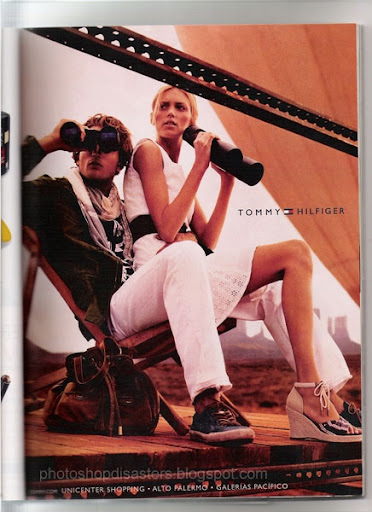
Question Eight (Extra Credit): Find a poorly Photoshopped image on the web a la the NYT article we read in class. Post it to your blog, and explain what went wrong.

1. I first noticed the burning house in the background .
2. there are people in the background who are walking along dilapidated train tracks.
3. The train tracks are over grown with plant life and they seem to not have been used for quite a while.
4. the burning house seems to be made of wood.
5. the objects in front of the house seem to be storage containers used on trains that must have gone along the train tracks.
6. The photo seems to have been taken during the early morning because the sun is still rising.
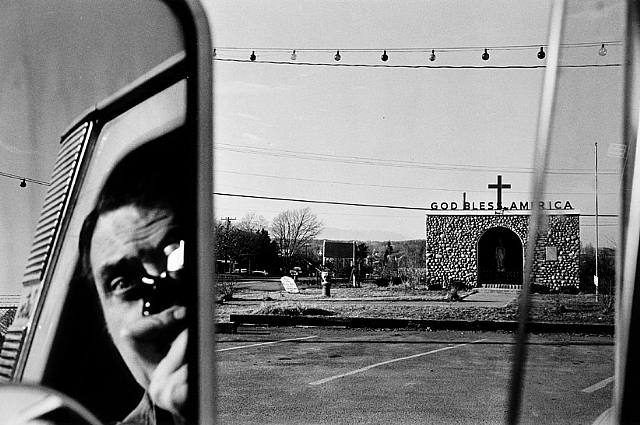 The Frames in this photo are the car mirror which draws our attention to the photographer in the front seat of the van, the enclave which brings attention to the statue, and the reflected window which also brings attention to the photographer.
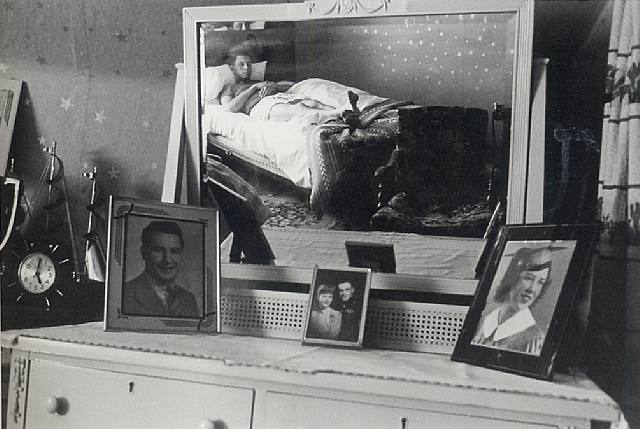 The Frame in this photo is the mirror on the dresser which draws our attention to the man resting in the bed. also, the photographs are frames which bring attention to their subjects.
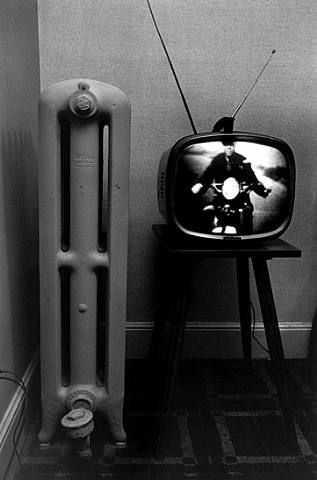 The frame in this photo is the television which draws our attention to the man on the motorcycle.


 Quality 1: shallow (small) depth of field
 Quality 2: deep (large) depth of field
 Quality 3: action captured with a fast shutter speed
 Quality 4: action blurred due a slow shutter speed
 Quality 6: overexposed
 Quality 7: underexposed
 Quality 8: photograph is unfocused, or out of focus


